# Remote-Android Script
This script adds Gapps, Magisk and libndk to redroid **without recompiling the entire image**
If redroid-script doesn't work, please create an issue
## Dependencies
- lzip
## Specify container type
Specify container type. Default is docker
option:
```
-c {docker,podman}, --container {docker,podman}
```
## Specify an Android version
Use `-a` or `--android-version` to specify the Android version of the image being pulled. The value can be `8.1.0`, `9.0.0`, `10.0.0`, `11.0.0`, `12.0.0` or `13.0.0`. The default is 11.0.0.
```bash
# pull the latest image
python redroid.py -a 11.0.0
```
## Add OpenGapps to ReDroid image
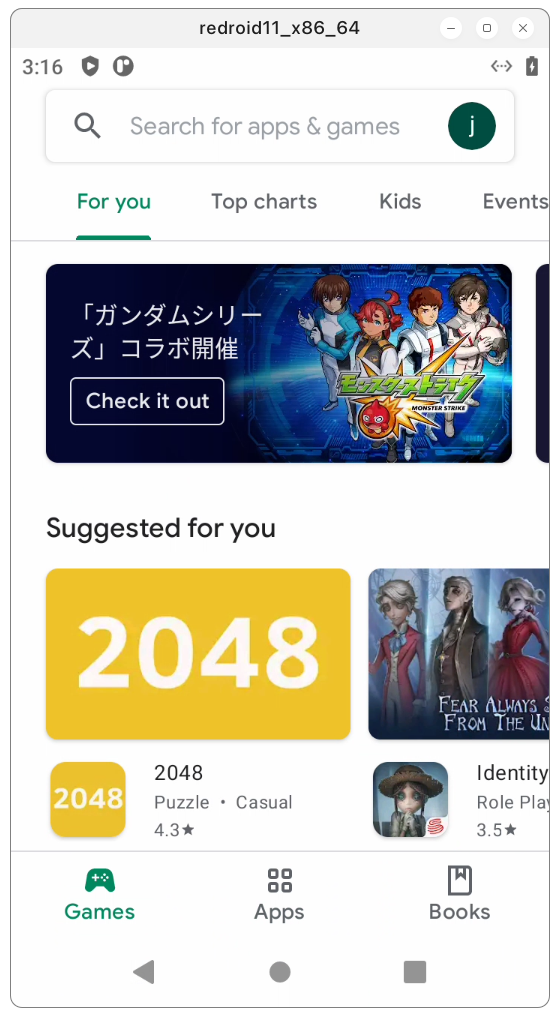 ```bash
python redroid.py -g
```
## Add libndk arm translation to ReDroid image
```bash
python redroid.py -g
```
## Add libndk arm translation to ReDroid image
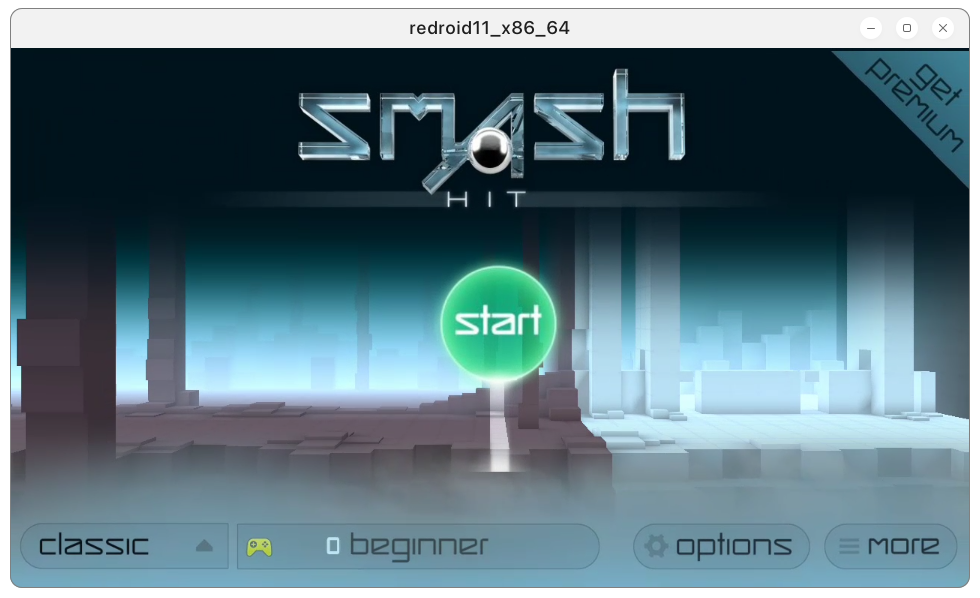 libndk_translation from guybrush firmware.
libndk seems to have better performance than libhoudini on AMD.
```bash
python redroid.py -n
```
## Add Magisk to ReDroid image
libndk_translation from guybrush firmware.
libndk seems to have better performance than libhoudini on AMD.
```bash
python redroid.py -n
```
## Add Magisk to ReDroid image
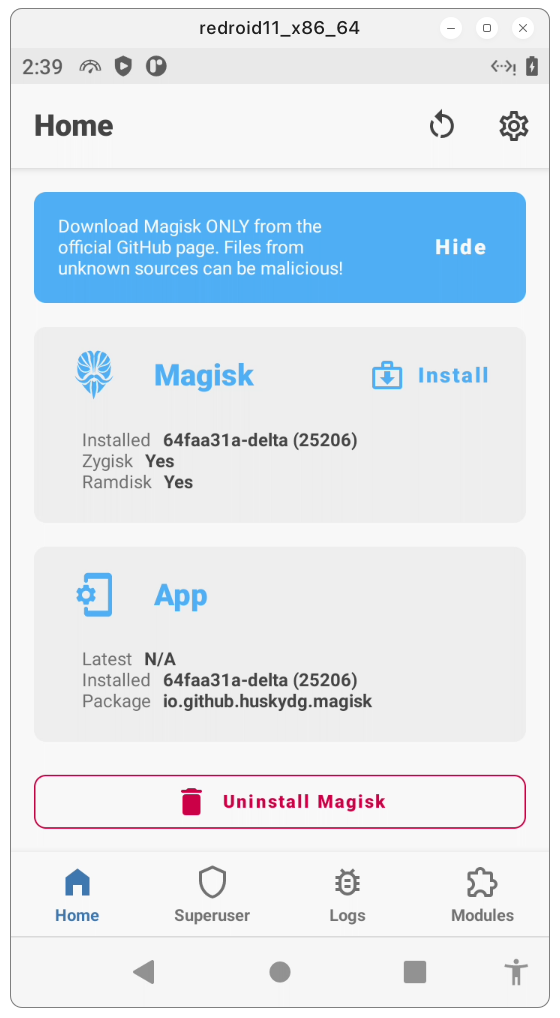 Zygisk and modules like LSPosed should work.
```bash
python redroid.py -m
```
## Add widevine DRM(L3) to ReDroid image
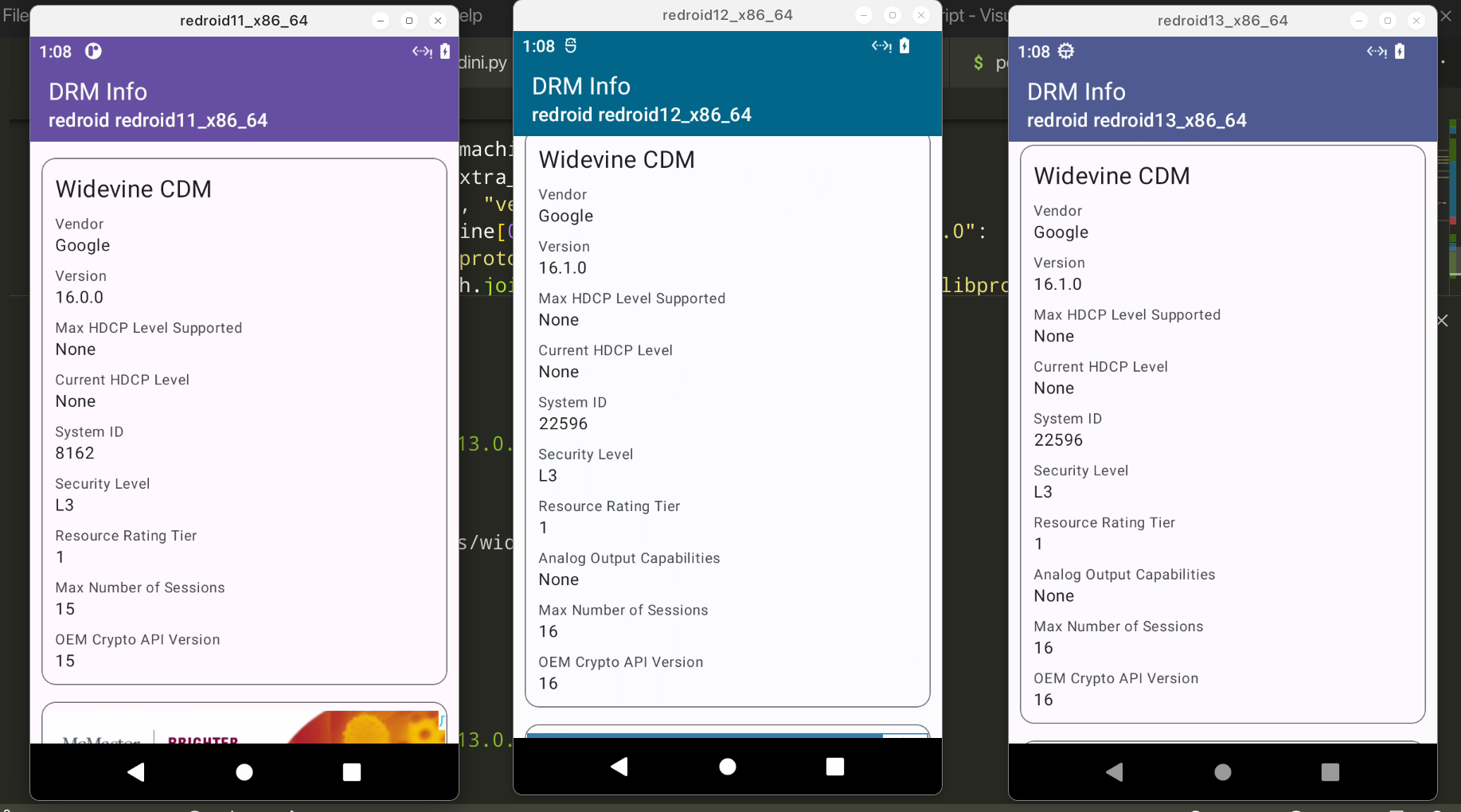
```
python redroid.py -w
```
## Example
This command will add Gapps, Magisk, Libndk, Widevine to the ReDroid image at the same time.
```bash
python redroid.py -a 11.0.0 -gmnw
```
Then start the docker container.
```bash
docker run -itd --rm --privileged \
-v ~/data:/data \
-p 5555:5555 \
redroid/redroid:11.0.0-gapps-ndk-magisk-widevine \
ro.product.cpu.abilist=x86_64,arm64-v8a,x86,armeabi-v7a,armeabi \
ro.product.cpu.abilist64=x86_64,arm64-v8a \
ro.product.cpu.abilist32=x86,armeabi-v7a,armeabi \
ro.dalvik.vm.isa.arm=x86 \
ro.dalvik.vm.isa.arm64=x86_64 \
ro.enable.native.bridge.exec=1 \
ro.dalvik.vm.native.bridge=libndk_translation.so \
ro.ndk_translation.version=0.2.2 \
```
## Troubleshooting
- Magisk installed: N/A
According to some feedback from WayDroid users, changing the kernel may solve this issue. https://t.me/WayDroid/126202
- The device isn't Play Protect certified
1. Run below command on host
```
adb root
adb shell 'sqlite3 /data/data/com.google.android.gsf/databases/gservices.db \
"select * from main where name = \"android_id\";"'
```
2. Grab device id and register on this website: https://www.google.com/android/uncertified/
- libndk doesn't work
I only made it work on `redroid/redroid:11.0.0`. Also, turning on Zygisk seems to break libndk for 32 bit apps, but arm64 apps still work.
- libhoudini doesn't work
I have no idea. I can't get any version of libhoudini to work on redroid.
## Credits
1. [remote-android](https://github.com/remote-android)
2. [waydroid_script](https://github.com/casualsnek/waydroid_script)
3. [Magisk Delta](https://huskydg.github.io/magisk-files/)
4. [vendor_intel_proprietary_houdini](https://github.com/supremegamers/vendor_intel_proprietary_houdini)
Zygisk and modules like LSPosed should work.
```bash
python redroid.py -m
```
## Add widevine DRM(L3) to ReDroid image

```
python redroid.py -w
```
## Example
This command will add Gapps, Magisk, Libndk, Widevine to the ReDroid image at the same time.
```bash
python redroid.py -a 11.0.0 -gmnw
```
Then start the docker container.
```bash
docker run -itd --rm --privileged \
-v ~/data:/data \
-p 5555:5555 \
redroid/redroid:11.0.0-gapps-ndk-magisk-widevine \
ro.product.cpu.abilist=x86_64,arm64-v8a,x86,armeabi-v7a,armeabi \
ro.product.cpu.abilist64=x86_64,arm64-v8a \
ro.product.cpu.abilist32=x86,armeabi-v7a,armeabi \
ro.dalvik.vm.isa.arm=x86 \
ro.dalvik.vm.isa.arm64=x86_64 \
ro.enable.native.bridge.exec=1 \
ro.dalvik.vm.native.bridge=libndk_translation.so \
ro.ndk_translation.version=0.2.2 \
```
## Troubleshooting
- Magisk installed: N/A
According to some feedback from WayDroid users, changing the kernel may solve this issue. https://t.me/WayDroid/126202
- The device isn't Play Protect certified
1. Run below command on host
```
adb root
adb shell 'sqlite3 /data/data/com.google.android.gsf/databases/gservices.db \
"select * from main where name = \"android_id\";"'
```
2. Grab device id and register on this website: https://www.google.com/android/uncertified/
- libndk doesn't work
I only made it work on `redroid/redroid:11.0.0`. Also, turning on Zygisk seems to break libndk for 32 bit apps, but arm64 apps still work.
- libhoudini doesn't work
I have no idea. I can't get any version of libhoudini to work on redroid.
## Credits
1. [remote-android](https://github.com/remote-android)
2. [waydroid_script](https://github.com/casualsnek/waydroid_script)
3. [Magisk Delta](https://huskydg.github.io/magisk-files/)
4. [vendor_intel_proprietary_houdini](https://github.com/supremegamers/vendor_intel_proprietary_houdini)